Warzone 0x00001337 ntdll.dll Crash (2026): 7 Fixes That Work
Warzone crashing with 0x00001337 and ntdll.dll about three minutes after launch? The most likely cause is a silent Microsoft GameInput 4.0.x update. Here are 7 fixes, which ones are confirmed, and where to report it.
Warzone's 0x00001337 ntdll.dll crash freezes the game on the menus and closes it about 2.5 to 3 minutes after launch. Right now it is mostly being traced to a silent Microsoft GameInput update (version 4.0.x) on PC. Rolling GameInput back to 3.5.283 is the fix with the best evidence behind it so far.
First, the bad news. The rollback doesn't survive a reboot, and neither Activision nor Microsoft has officially confirmed the cause. The good news is that the crash hasn't cost you any SR. Ranked Play isn't on the Season 1 roadmap yet, so when the ladder opens you can catch up yourself or let our Warzone ranked boostfrom $4.99 do the climb.
What the 0x00001337 crash actually is
Verdict: the game's watchdog is shutting it down. Your DLL isn't broken.
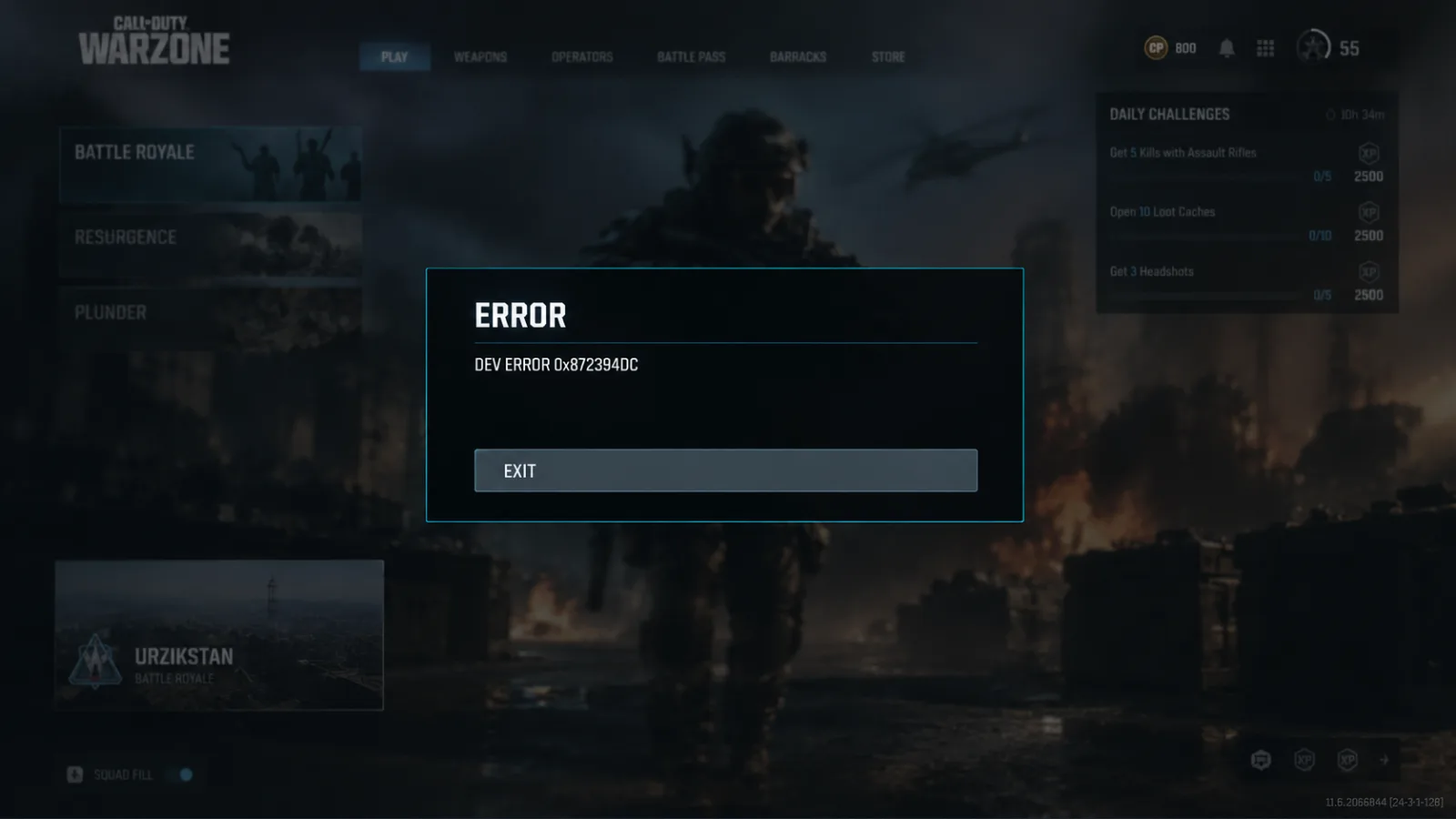
The crash box usually shows 0x00001337 (0x00000000) N, with ntdll.dll as the module and cod.exe as the executable. ntdll.dll is a core Windows file. It shows up in the error because the frozen thread was waiting there, not because the file is damaged. Replacing it won't help. Never download a fixed DLL from a random site.
The current trigger comes from a report filed on Microsoft's GameInput GitHub on October 24, 2026:
- Gaming Services auto-updated GameInput from 3.5.270 to 4.0.302.
- After that, the game's main thread froze for 90 seconds waiting on GameInputRedist.dll.
- Call of Duty's watchdog then closed the game, on every launch, about 150–170 seconds in, while the menus were loading.
The first report was about Black Ops 7. A later comment on the same issue confirmed the same crash on Warzone (Xbox app / Game Pass build), and the same rollback fixed it.
One caveat: 0x00001337 is an old error code. Players were getting it in MW2019 and early Warzone years before GameInput 4.0 existed. If your GameInput version isn't 4.0.x, skip to Fixes 2–7.
Quick-start checklist
- Check your GameInput version: Settings > Apps > Installed apps, then search GameInput.
- If it's 4.0.x, uninstall it and install 3.5.283 from Microsoft's NuGet package.
- Restart your PC and launch Warzone straight away.
- Still crashing? Repair the game files in your launcher.
- Close NZXT CAM, MSI Afterburner and Razer Cortex, then try a clean boot.
- Do a clean GPU driver install and clear your shader cache.
- Send a Call of Duty PC Crash Report and check the Known Issues page.
Which fix is backed by whom
| Fix | Who backs it | Best for | Does it stick? |
|---|---|---|---|
| Roll back GameInput to 3.5.283 | Community (GitHub, Reddit) | Xbox app / Game Pass with 4.0.x installed | No. Undone after a reboot |
| Repair game files | Activision troubleshooting | Every PC launcher | Yes |
| Close tuning apps, clean boot | Activision PC crash guidance | All PC players | Yes |
| Re-enable ASLR | Activision PC crash guidance | Anyone who turned it off | Yes |
| Clean GPU driver + shader cache | Community | The older 0x00001337 trigger | Yes |
| Full clean reinstall | Activision (Steam launch crash advice) | Last resort | Yes |
Activision hasn't published an official fix for this specific code. Be wary of anyone who says it has.
Fix 1: Roll back GameInput to 3.5.283
Verdict: the only fix with a traced cause. Start here.
- Open Settings > Apps > Installed apps and search for GameInput.
- If it shows 4.0.302, 4.0.306 or any other 4.0.x build, uninstall it.
- Download the Microsoft.GameInput 3.5.283 package from nuget.org. Use Microsoft's official listing and nowhere else.
- You'll get a .nupkg file. Rename it to .zip, extract it, and run GameInputRedist.msi from the redist folder.
- Restart your PC and launch Warzone.
If it worked, you'll sit on the menus past the three-minute mark and nothing will happen. Boring is what you want here.
The catch: a later GitHub comment found that Gaming Services quietly reinstalls 4.0.306 about 45 seconds after every reboot, and the crash comes back with it. Until Microsoft releases a fixed 4.0.x build, you may have to redo the rollback after every restart. It's annoying, but once you've done it once it takes about two minutes.
So far this fix is only confirmed on the Xbox app / Game Pass version. Nobody has confirmed it yet on Steam or Battle.net. If you're on one of those and your crash happens at the same point, it's still worth trying. Posting your result on the GitHub issue helps narrow things down.
Fix 2: Repair your game files
Verdict: quick to do, rarely the answer here, still worth ruling out.
- Steam: right-click Warzone > Properties > Installed Files > Verify integrity of game files.
- Battle.net: click the gear icon next to Play > Scan and Repair.
- Xbox app: Manage > Verify and repair.
In the GameInput reports, repairing the files did nothing. Do it to rule it out, but don't expect much.
Fix 3: Close conflicting background software
Verdict: Activision's own advice, and it costs nothing.
Activision's PC crash guidance names three programs that can conflict with Warzone: NZXT CAM, MSI Afterburner and Razer Cortex. Close all three. If you use Razer Synapse, update it. Then do a clean boot, which starts Windows with only the essentials running, and test again.
Fix 4: Re-enable ASLR
At some point you may have turned off Address Space Layout Randomization (ASLR) under Windows Security > App & browser control > Exploit protection. If the game won't start, Activision says to turn it back on. Some old FPS-boost guides told players to switch it off. That advice hasn't aged well.
Fix 5: Clean GPU driver install and shader cache
Verdict: the classic 0x00001337 fix, but it targets the older trigger.
Remove your current driver with DDU in Safe Mode, then install the latest driver from NVIDIA, AMD or Intel. Delete the shader cache too. Some community threads also suggest updating your BIOS. The original GameInput reporter had already reinstalled their drivers and it didn't help. If you're on GameInput 4.0.x, this fix probably won't either.
Fix 6: Clean reinstall (last resort)
Warzone is a very large download, so try everything above first. Activision's Season 1 notes cover a different Steam launch crash, and their last-resort advice there is to uninstall the game and delete the leftover Call of Duty folder in steamapps/common before reinstalling. Does your game crash immediately instead of after a few minutes on the menu? Then you probably have that issue instead. Our guide to Warzone crashing on launch on Steam covers it step by step.
Fix 7: If nothing works, escalate
- Check Activision's Known Issues in Call of Duty: Warzone page and @CODUpdates on X. Season 1 is being patched almost every day.
- Send a Call of Duty PC Crash Report. Activision uses these to investigate PC crashes.
- If your issue isn't listed, file a Warzone Bug Report.
- Add your specs and GameInput version to GameInput issue #53 on GitHub. The more machines Microsoft sees, the faster a fix is likely to come.
Getting a different code? Our Dev Error 0x872394dc fix guide covers another common Warzone crash.
Can this crash get your account banned?
No. A technical crash doesn't break the Terms of Use, and rolling back a Microsoft component isn't something Activision bans for. What Activision is acting on this season is third-party software that tampers with matchmaking. In Season 1 it started blocking Warzone Agent, a paid app for scouting lobby skill, from multiplayer. Players who try to get around the block risk account or hardware bans. Fixing your own PC has nothing to do with that.
Between rollbacks, reboots and reinstalls, this crash can easily take a whole evening before you get to play a single match. When Ranked Play returns, our Warzone ranked boostfrom $4.99 can make up that lost time, with pro players doing the climb for you.
Related Call of Duty: Warzone services
Vetted boosters handle the grind covered in this guide, with live support and scheduled delivery.
Warzone Ranked Boost – Resurgence Ranked Play
Climb the Warzone Resurgence Ranked ladder from Bronze to Iridescent with professional players. Our experienced boosters complete the Ranked progression directly on your account and help you reach your desired Rank and SR.
Warzone Nuke Boost – Champion’s Quest
Complete the Warzone Champion’s Quest and unlock exclusive Nuke rewards, including the Axia Grimm Operator Skin, weapon camos, calling cards, and more. Fast, safe, and professional completion.