Warzone Dev Error 0x872394dc (2026): 7 Fixes That Actually Work
Warzone Dev Error 0x872394dc usually means the game can't save or read its local files. Here are 7 fixes in order, from shader preloading to a fresh players folder, plus which ones Activision backs and which come from the community.
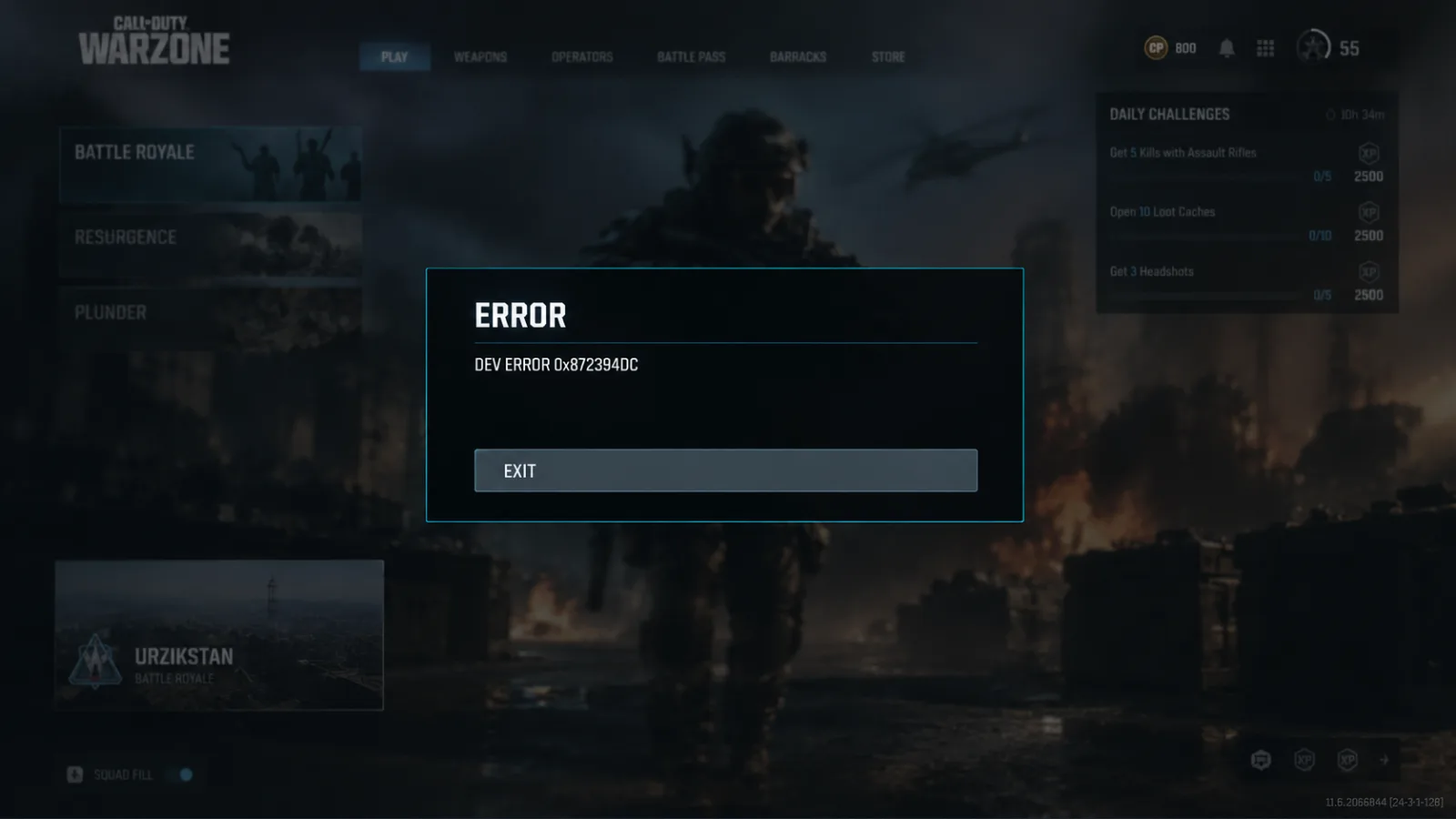
Warzone Dev Error 0x872394dc usually happens because the game can't write to or read its own local files: a players settings folder that won't save, an unfinished shader cache, or damaged install data. Fix those three and most players get back in. If the crash has already cost you a ranked match or two, that SR comes back with grinding. Our Warzone Ranked Boostfrom $4.99 can also win it back while you sort out your PC.
This isn't a new error. Videos about it go back to the Black Ops 6 era, and fresh guides were still being published in mid-October 2026. With Modern Warfare 4 launching on October 23, a lot of launchers and caches are updating at once, which is exactly when this code shows up.
What Dev Error 0x872394dc actually is
Verdict: on its own, the code tells you nothing about the cause. Your symptoms do.
It can hit at startup or in the middle of a match. Restarting often gets you to the menu, and then the same crash comes back next launch. The most useful clue: if Warzone asks you to redo setup or forgets your graphics settings every time you launch, your local config isn't saving, and that's almost certainly the cause.
| What you see | Most likely cause | Start with |
|---|---|---|
| Crash right after an update, menu loads first | Shader cache incomplete | Fix 1, then Fix 2 |
| Settings or setup prompts reset every launch | Players folder can't be written | Fix 3, Fix 4 |
| Settings save fine, crashes mid-match | Overlays, tuning tools, VRAM load | Fix 5, Fix 6 |
| Closes before the menu is usable | Damaged files or GPU driver | Fix 2, Fix 6 |
Quick-fix checklist (try in this order)
- Let shader preloading finish at the main menu. (Activision guidance)
- Scan and Repair / Verify files. (Activision guidance)
- Clear Read-only and check security blocks on the players folder. (Community, widely reported)
- Test a fresh players folder. (Community)
- Kill overlays, input mappers and tuning tools. (Activision lists specific apps; input mappers are a community report)
- Update or clean-install your GPU driver. (Activision guidance)
- Rebuild loadouts / full reinstall. (Community; reinstall is a last resort)
Fix 1: Let shader preloading finish
Verdict: takes five minutes, costs nothing, and gets skipped all the time.
After a game or driver update, Warzone rebuilds shaders. Activision's advice is to stay at the main menu until preloading hits 100%, because jumping into a match or a menu early interrupts it.
- Install any pending Call of Duty updates first.
- If the game offers Safe Mode after a crash, accept it once. This is the game's own prompt, not Windows Safe Mode.
- Sit at the menu until the shader bar completes, then exit the game normally instead of alt-F4ing.
- Relaunch and test.
If Warzone crashes before the menu even loads, you can't run this test. Move to Fix 2.
Fix 2: Scan and Repair (Battle.net) or Verify (Steam)
Verdict: the standard fix for damaged files. Run it after every big patch.
- Battle.net: select Call of Duty > gear icon > Scan and Repair > Begin Scan.
- Steam: right-click Call of Duty > Properties > Installed Files > Verify integrity of game files.
With MW4 now live, also check that your Warzone pack is actually installed and up to date in the launcher's content manager. A partly installed pack is an easy way to get a crash on launch.
Fix 3: Make sure the players folder can be written
Verdict: if your settings keep resetting, this is your fix.
Warzone stores settings in Documents\Call of Duty\players. If Windows blocks writes to that folder, the game can't update its config and keeps crashing.
- Close Call of Duty and the launcher.
- Right-click a current settings file > Properties > General. If Read-only is ticked, untick it and apply.
- Open Windows Security > Virus & threat protection > Protection history and look for blocked actions against the Call of Duty executable. If Controlled folder access is blocking it, allow the app.
- OneDrive users: if your Documents folder syncs to OneDrive, sync locks can interfere. Pause syncing and test.
To confirm it worked, change one harmless option (like FOV), exit normally and reopen. If the change is still there, the game can write its files again.
Fix 4: Test a fresh players folder
Verdict: it fixes things a lot, but it wipes your keybinds and settings. Back up first.
With the game and launcher closed, copy the players folder somewhere outside Documents\Call of Duty, and outside OneDrive too. Then delete or rename the original. Warzone builds a new one on the next launch.
Some players on community forums also say deleting the player cache files and updating an old GPU driver stopped the error completely. That's anecdotal, but it matches the same theory: corrupted local data.
Back up before you delete anything. Screenshots and recordings can live inside the players folder, and you'll lose them otherwise.
Fix 5: Kill overlays, input mappers and tuning tools
Verdict: if your settings save fine and you still crash mid-match, look here.
Activision's PC troubleshooting guidance names NZXT CAM, MSI Afterburner, Razer Cortex and certain Razer Synapse setups as possible conflicts. It also suggests adding the game folder to your antivirus exceptions. Community reports add input mappers like reWASD and custom Steam Input profiles to the list.
Turn off Discord, NVIDIA and Xbox Game Bar overlays, and close anything that hooks into the game. If you need a cleaner test, do a Windows clean boot.
Fix 6: Update or clean-install your GPU driver
Verdict: an old driver doesn't always cause the crash, but it makes everything else harder to diagnose.
Install the latest NVIDIA or AMD driver. If the crashes started right after a driver update, roll it back through Device Manager. Lower VRAM-heavy settings like texture quality while you test, and set any GPU or CPU overclock back to stock. After a driver change, let shaders preload again (Fix 1).
Fix 7: Rebuild loadouts, then reinstall
Verdict: last resort. Try the cheap version first.
An old Warzone community tip is to delete custom loadouts and rebuild them without blueprints or camos, in case a specific cosmetic is crashing the renderer. It's unconfirmed for this code, but it only takes ten minutes. A full reinstall takes hours on most connections, so save it for last.
Pros and cons of the folder-reset method (Fixes 3–4)
Pros:
- Goes after the most common cause directly (settings that won't save)
- Free, needs no downloads, and takes about 10 minutes
- Easy to undo if you kept a backup copy
Cons:
- Wipes keybinds, graphics settings and sensitivity
- Does nothing if the real problem is drivers or damaged files
- Community workaround, not an official Activision step
If nothing works
Verdict: once you've done all seven, it's probably a bug on Activision's side. Report it and stop fiddling.
- Check the Activision Support site and the official Call of Duty updates channels for known issues. As of this writing, we haven't found an Activision acknowledgement specific to 0x872394dc. Treat every fix above as best practice, not a guaranteed patch.
- File a crash report through Activision Support. Include your platform, GPU, driver version, and when the crash happens (startup or mid-match).
- Hold off on more reinstalls until the next title update. Patches around a big launch like MW4 often fix crashes without any notice.
While you're stuck, keep in mind that a crash in the middle of a ranked match can still cost you, so learn how the SR deployment fee works before you queue again on an unstable PC. And if you're wondering whether the grind is still worth it, here's where Ranked Play stands before MW4.
Getting a Dev Error under control can take a whole evening, and it can cost you a few ranked matches along the way. If you'd rather not spend the next week winning that SR back, our Warzone Ranked Boostfrom $4.99 can handle the climb while your PC gets back to normal.
Related Call of Duty: Warzone services
Vetted boosters handle the grind covered in this guide, with live support and scheduled delivery.
Warzone Ranked Boost – Resurgence Ranked Play
Climb the Warzone Resurgence Ranked ladder from Bronze to Iridescent with professional players. Our experienced boosters complete the Ranked progression directly on your account and help you reach your desired Rank and SR.
Warzone Nuke Boost – Champion’s Quest
Complete the Warzone Champion’s Quest and unlock exclusive Nuke rewards, including the Axia Grimm Operator Skin, weapon camos, calling cards, and more. Fast, safe, and professional completion.