BF6 Tsuru Reef Crash on NVIDIA GPUs: 7 Fixes That Actually Work
Is Battlefield 6 crashing on Tsuru Reef or other water maps? Here's what EA confirmed, which fixes are official and which come from the community, and the order to try them in so you lose the least time.
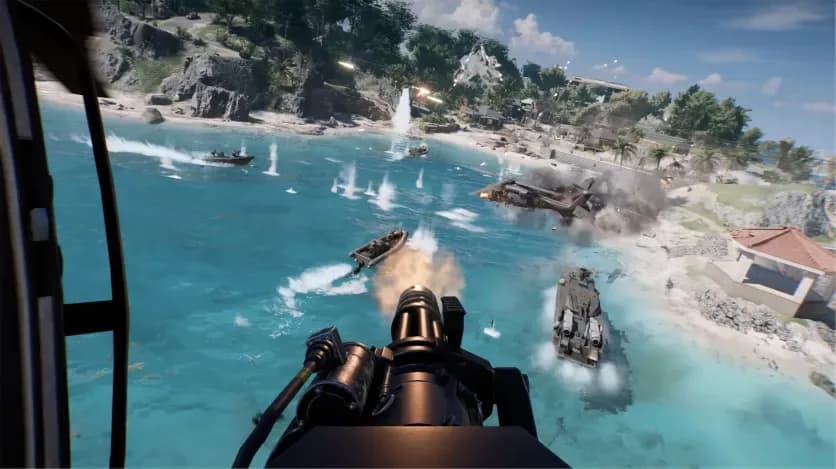
If Battlefield 6 keeps crashing on Tsuru Reef or other maps with a lot of water, it's most likely a known clash between the game's new water rendering and recent NVIDIA drivers. It hit GeForce RTX 50 Series cards hardest, and EA shipped a fix in Update 1.4.1.5. The official fix order is short: get on the newest game build first, then roll back your driver if the crashes don't stop. The rest of this guide covers the other steps worth trying, which ones EA actually confirmed, and how to keep your progression moving while you troubleshoot, for example by doing your camo and XP runs in BF6 bot lobbiesfrom $14.99 instead of on a map that might crash in the middle of a match.
Some background: Season 4: Pacific Front launched on July 21, 2026 with Update 1.4.1.0. It added Tsuru Reef and a new dynamic wave system. Within a day, Battlefield Comms listed a known issue: GPU driver crashes on maps with large bodies of water, mostly on NVIDIA hardware and especially RTX 50 cards. Reports centred on Game Ready driver 610.74. The usual symptom is a freeze a few minutes into the match, then a DXGIERRORDEVICE_HUNG message or a straight crash to desktop.
Quick-Start Checklist
Try these in order. The first two are the ones EA officially recommended.
- Update Battlefield 6 to the latest build. 1.4.1.5 fixed the RTX 50 crash, and the current build is 1.4.3.0 (Tidal Strike).
- Roll back to NVIDIA driver 596.49 if crashes keep happening on water maps.
- Turn off DLSS Frame Generation, then ray tracing, testing one change at a time.
- Close overlays: RivaTuner, Discord, Steam, GeForce and Xbox Game Bar.
- Put your GPU back to stock clocks and remove any undervolt or overclock.
- Clear the shader cache and repair the game files.
- Check system-level stability: BIOS, chipset drivers and a clean boot.
Why This Crash Happens (and Why It Matters)
This isn't a typical random crash. Tsuru Reef is the biggest map the game has shipped, and its water updates in real time. The GPU has to handle reflections, refraction, wave geometry and foam all at once, which is a much heavier load than the older land-based maps. When 1.4.1.5 came out, its patch notes showed that water wasn't the only trigger. Changing attachments on the SOR-300SC carbine and using Custom Search could cause the same driver failure on RTX 50 cards. That points to a conflict between the Frostbite engine and NVIDIA's newer drivers, not a bad map file or failing hardware.
That's why the order above matters. If the cause is a driver/engine conflict, reinstalling the game over and over costs you time and probably won't help.
The Fixes, Ranked by Time vs Payoff
| Fix | Source | Time to try | Best for |
|---|---|---|---|
| Update to latest build | Developer-confirmed | 5–20 min | Everyone, always first |
| Roll back to driver 596.49 | Developer-endorsed workaround | 15–25 min | RTX 50/40 owners still crashing |
| Disable Frame Generation | Community workaround | 2 min | DLSS 4 users |
| Remove overlays | Community workaround | 5 min | Anyone running RivaTuner/Discord |
| Stock GPU clocks | Community workaround | 5 min | Overclockers/undervolters |
| Clear cache + repair | General troubleshooting | 20–40 min | Crashes that started after a patch |
| BIOS/chipset/clean boot | EA advisor guidance | 1+ hour | Whole-system freezes or reboots |
1. Update the game (developer-confirmed)
EA's forum staff confirmed that RTX 50 crashing was fixed in 1.4.1.5, which launched August 4 and ended roughly two weeks of players having to stay on an older driver. In the EA app or Steam, check for updates and restart the launcher so the patch actually installs. If you stopped playing in July and just came back, this step might be all you need.
2. Roll back to NVIDIA 596.49 (developer-endorsed)
This is the workaround EA officially recommended during the outage. Driver 596.49 is a WHQL release from May. The downside is that you give up any optimisations newer drivers added for other games. Download 596.49 from NVIDIA's driver archive and choose a clean installation in the installer. If you still crash on 596.49, EA asked players to post their GPU model, driver version, map and crash details on the Technical Issues board.
Rolling back is the most reliable fix, but it's also the most expensive one. Only do it if the crash keeps coming back after you're on the current game build.
3. Disable Frame Generation (community)
Several RTX 5080 owners reported that turning off Frame Generation stopped their crashes completely. EA hasn't confirmed this. It takes two minutes to test, though, so try it before you downgrade drivers. After that, turn ray tracing off too, one setting at a time, so you know which change fixed it.
4. Remove overlays (community)
RivaTuner, Discord and similar overlays inject into the game process. That's a well-known source of DirectX instability in general. Close them fully instead of just hiding them. For DirectX crashes outside water maps, our DXGI Device Removed fix guide covers that separate problem.
5. Return to stock clocks (community)
Factory "OC" profiles and manual undervolts can pass stress tests but still fail under an unusual load like Tsuru Reef's water. Reset to stock in MSI Afterburner or your vendor's software and test one full match.
6. Clear the shader cache and repair (general)
Delete the contents of the Cache folder in Documents > Battlefield 6. The game rebuilds it the next time it launches. Then run Repair in the EA app, or Verify in Steam. Expect the first match afterwards to stutter while shaders compile again.
7. Check system stability (EA advisor guidance)
If your whole PC freezes or reboots, rather than just the game closing, EA advisors have pointed players toward firmware, power and low-level graphics instability. The suggestions include updating the chipset driver, flashing the latest stable (non-beta) BIOS for your exact motherboard revision, and doing a clean-boot test. This takes the most time, so leave it for last.
If Nothing Works
Be honest with yourself about what's left. After 1.4.1.5, some players, including RTX 4070 Super owners, still reported crashes on EA's forums even after rolling back their drivers. So the fix hasn't worked for everyone. Your next steps:
- Post a detailed report on the EA Forums Battlefield 6 Technical Issues board: GPU, driver, map, and whether it's a crash to desktop or a full system freeze.
- Use Contact Us at the bottom of the EA Help error-codes page to reach an EA Advisor.
- Watch Battlefield Comms for updated known-issue posts after each patch.
Worked Example: What Troubleshooting Actually Costs
Say you get the classic crash five minutes into a Conquest match on Tsuru Reef, three nights in a row. Each crash costs the round, plus relaunching and requeueing. Meanwhile the clock is running: the Deep Six event runs September 15 to October 12 (see our Deep Six knife guide). Going through fixes 1–3 takes under 30 minutes and solves most cases. Fix 7 can take a whole evening.
My recommendation by player type:
- Casual players: do fixes 1–4 and skip Tsuru Reef in custom search until it's stable.
- Completionists on an event timer: do fixes 1–2 straight away, and do your weapon grinding somewhere crashes won't cost you rounds.
- Players short on time: fix what takes less than 30 minutes and hand the grind off.
Bottom Line
For most players the Tsuru Reef crash is solved: update the game, and if needed roll back to 596.49. If it isn't solved for you, work through the community fixes in order from cheapest to most expensive, and file a detailed report instead of reinstalling again and again. Every crashed match is lost Mastery progress, and levelling a weapon to 50 by hand already takes hours. If you'd rather put your evenings into fixing your PC than into the grind, our Weapon Leveling Boostfrom $19.99 can take your guns to Mastery 50 for you.
Related Battlefield 6 services
Vetted boosters handle the grind covered in this guide, with live support and scheduled delivery.
Battlefield 6 Bot Lobbies
BF6 Bot Lobbies with 5 or 8 AI bots, averaging ~1,000–1,600 kills per hour. Grind weapon mastery, camos and XP with self-play access and no account login required.
Battlefield 6 Weapon Leveling Boost
Max out your Battlefield 6 weapons to Mastery Level 50. Unlock weapon attachments, camos, Weapon Packages and mastery rewards with professional manual boosting.