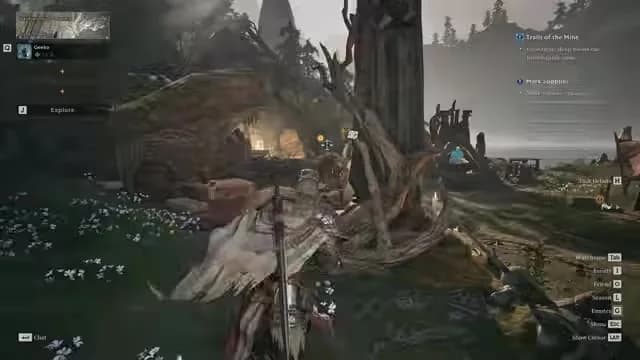
Mistfall Hunter Rubber Banding & Teleporting: 7 Real Fixes
Rubber banding and mid-fight teleporting in Mistfall Hunter is mostly server-side — Bellring traced part of it to cloud server CPU hyper-threading. Here's the fix order that actually helps, and what no setting will solve.
Rubber banding and mid-fight teleporting in Mistfall Hunter is mostly a server problem, not your PC — Bellring said it traced part of the intermittent stuttering, lag and character teleporting to cloud server CPU hyper-threading, rolled out server configuration changes across all servers on 13 and 14 August, and says its monitoring shows the stutters happening less often. That matters because most "fix your lag" advice you'll read is about graphics settings, and graphics settings do not fix a server correcting your position.
It also matters because this is a full-loot extraction game. One teleport during a duel and your entire kit is gone. If you've already donated three loadouts to the mist and you'd rather re-gear now than farm for two nights, Mistfall Hunter Gyldenblodfrom $3.99 delivers straight through the Auction House. Below is the fix order I'd actually run, fastest first.
The 30-second diagnosis
Verdict: identify the layer before you touch a single slider.
The community rule of thumb is simple and correct — many players dropped to Low to fix "lag" and saw nothing change, because rubber banding isn't a graphics problem; if your character or enemies snap back to earlier positions it's server-side, while smooth motion at low frames is client-side.
| What you see | Almost certainly | What actually helps |
|---|---|---|
| You snap back 3-5m after a dodge | Server-side | Client update, region check, report it |
| Hits register a beat late | Server-side / ping | Region + party host, Ethernet |
| Whole squad stutters at the same instant | Server-side | Nothing local — log it |
| Frames tank in container-dense areas | Client-side | Dev settings list below |
| Game closes with a Fatal Error box | Client-side crash | Different problem entirely |
If several party members rubber-band together while your own connection stays clean, graphics and DNS changes will not fix the server.
Fix 1 — Run the developer's own settings list
This is the closest thing to official. A Bellring account replying to a lag thread on Steam listed: turn off Ray Tracing, switch DLSS to FSR, turn off NVIDIA Smooth Motion, lower image quality, and cap the in-game frame rate to 60 or 120. A separate developer-flagged post on 1 August gave a six-step order: update your GPU driver, disable NVIDIA AI frame interpolation, disable Intel AI Boost, add "-dx11" as a Steam launch parameter, lower ray tracing and turn vertical sync off, then disable the Steam overlay.
Honest caveat: at least one player in that same thread replied that the list didn't help and their friends were still teleporting. These steps clean up frame pacing. They don't clean up a server tick.
Pro tip: cap your frame rate manually instead of letting it float. An uncapped 180 fps that dips to 90 during a Soul Harvest fight feels worse than a locked 120 — and frame-time spikes get misread as network lag constantly.
Fix 2 — Make sure you're on the current client
If you haven't launched since August, you're playing with bugs that are already patched. The 28 August update added movement smoothing on rapid direction changes during displacement skills — Bloody Blade Dance was the named example — specifically aimed at rubberbanding, plus a fix for characters teleporting a short distance when interrupted mid-mobility-skill.
More recently, Bellring scheduled a no-downtime update for 15 September at 08:00 UTC+0 to fix a batch of known issues, requiring a client update through your platform's store afterwards, and changed the season task Soul Hunt requirement to "Complete 1 Soul Harvest while staying alive." No-downtime updates are the trap: the servers move on, your client doesn't, and you assume the game is still broken.
Fix 3 — Try the client prediction toggle (community, unverified)
One player in the lag thread reported that disabling the game's client prediction setting in the "Game" tab of the options helped noticeably with teleporting. This is a player finding, not a developer instruction — but it's a one-click, zero-risk toggle you can flip back in five seconds. Test it over three matches, not one.
Fix 4 — Fix your region and your party host
Verdict: this is the biggest lever most players never pull.
Connection quality — not combat — has been the loudest complaint since the 30 July launch, with European players reporting 120-180ms and no dedicated EU server, and Australian players getting rubber-banded off rooftops. Worse, cross-region parties pull everyone onto the host's region, so the best-connected player should host — and EU players report cleaner matches in the morning and late at night.
Pro tip: before you blame the servers, run two hunts back to back at an off-peak hour on Ethernet with downloads and cloud sync paused. If the rubber banding vanishes, it was congestion. If it doesn't, stop tuning your PC and start logging evidence.
Fix 5 — Rule out the boring local stuff
The sane local checklist: update and restart the game, stop downloads and cloud sync, test on Ethernet, restart the modem and router, confirm your assigned region, and compare several matches rather than judging from one. Change one thing at a time or you'll never know what worked.
Fix 6 — Don't treat a crash as lag
If the game dies to a Fatal Error dialog rather than stuttering, that's a separate failure path with separate fixes — start with our Mistfall Hunter Fatal Error fixes instead of touching network settings. And note the DX11 workaround is genuinely mixed: one Steam player reported forcing DX11 reduced crashes but introduced long freezes, which makes it a watch item rather than a safe fix.
Fix 7 — Play around the lag until it's gone
While the server work continues, the cheapest fix is behavioural. Repeatedly entering and leaving the Soul Tree area while summoning an extraction point can consume an extra Soul of Return — effectively charging you multiple extract tickets for one portal — so approach the extract once and stay put. If you're getting shoved in and out of that zone by corrections, that bug will quietly tax you. Our extraction guide covers the rest of the loot-retention rules.
If nothing works: escalation
Status check, plainly stated. The official 30 July list of twelve launch issues is closed; the remaining open item is intermittent server lag following the August hyper-threading configuration change. Bellring restated intermittent in-stage lag and performance optimisation as still open in its 3 September companion post. The developers' own framing is that causes vary by in-stage situation and should taper off across successive updates rather than through one universal fix.
So: open a ticket. Bellring's Steam replies point players to its Discord to open a ticket for one-on-one help when the listed steps don't work. Capture your region, the time, match context and video when you report reproducible lag — a clip of a snap-back is worth ten forum posts.
One more warning: be sceptical of paid "lag fix" tools. Most pages recommending them sell one, and the developers explicitly said they published no workaround for the server-side lag. A tunnel can improve a bad route. It cannot improve a server tick.
Realistically, a bad rubber-banding week in a full-loot game costs you kits — and rebuilding a decent loadout from scratch is hours of careful, low-reward farming you didn't plan on. If you'd rather spend that time hunting than rebuilding, our Mistfall Hunter Gyldenblod deliveryfrom $3.99 restocks you through the Auction House so your next run starts geared.