GTA 6 Pre-Order Not Showing Up? 7 Fixes Before Preload
If your GTA 6 pre-order has vanished from your console, it's almost always an unsynced store licence rather than a lost payment. Here are seven fixes in the order that actually resolves it, plus what to do before preload on November 12.
If your GTA 6 pre-order isn't showing up on your PS5 or Xbox, the most common cause is a storefront licence that hasn't synced to your console yet — not a failed payment, and not a cancelled order. Nine times out of ten a licence restore plus a hard power cycle puts it back, and the money was never in danger.
That matters more than usual right now because the clock is real: GTA 6 launches November 19, 2026 on PS5 and Xbox Series X|S, and preloading is scheduled to start November 12, 2026 for eligible purchases. You want the entitlement verified well before preload night, not at 11:58 PM while 40 million other people hammer the same servers. And once your copy is confirmed, the other launch-week bottleneck is the campaign itself — which is exactly what our GTA 6 campaign boostfrom $3.99 exists to shortcut if your launch week is already spoken for.
The 60-second checklist (run it in this order)
- Hard power cycle the console — full shutdown, unplug 30 seconds, boot back up. Fixes more entitlement bugs than anything else.
- PS5: Settings → Users and Accounts → Other → Restore Licenses.
- Xbox: check My games & apps → Full library → Owned games, not just the store page.
- Verify the account, not the console — sign in on the web (PlayStation Store account order history / account.microsoft.com order history) and confirm the purchase sits on the same account you'll play on.
- Check the right screen. Before November 12 there is nothing to install, so a healthy pre-order looks like a purchase, not a download.
- Physical copy? Open the box. There's a code, not a disc.
If the pre-order appears on the web but not the console, it's a sync problem and you're fine. If it appears on neither, treat it as a payment or account problem and skip to the escalation section.
Fix 1 — Restore licences and power cycle
Consoles cache entitlements, and caches go stale. On PS5, Restore Licenses re-pulls everything tied to your account; on Xbox, a full shutdown plus a library refresh does the same job. Do this before you contact any support agent, because it's the first thing they'll ask you to do anyway.
If you play on a second console, make sure it's set as your home console (Xbox) or console sharing / offline play is enabled (PS5). A pre-order bought on account A won't show up for account B on the same box.
Fix 2 — A pre-order is not an install (yet)
Plenty of "my pre-order disappeared" panic is just people looking for a game tile that can't exist yet. Preload begins November 12 for eligible purchases — until that flips on, your pre-order lives in your purchase/library list and does nothing else. If the order is confirmed in your account history, silence from the console is expected behaviour, not a bug.
When preload does open, storage is the real risk: clear space now rather than on the night. Our 200GB day-one launch plan walks through the space and timing math.
Fix 3 — The Xbox "ghost pre-order" glitch
This one confused a lot of people over the summer. Some Xbox users found GTA 6 pre-orders in their purchase histories despite never paying, with Grand Theft Auto VI: Ultimate Edition showing a completed price attached even though they hadn't been charged and didn't own it. Affected accounts showed the game as "not owned" with no payment method listed, which points to a missing licence, and the fact that other unpurchased games also turned up in order histories suggested a general Xbox Store logging glitch rather than a giveaway.
Be honest with yourself about what this means in both directions. If a pre-order you never placed shows up, an entry in order history with no payment method attached is a display bug, not a licence — don't build launch plans around it. Press coverage expected those mystery listings to disappear once the store purchase-history issue was fixed. And if a pre-order you did pay for shows the same "not owned" state, that's the same underlying logging weirdness — which is why the web order history is your source of truth, not the console tile.
Field notes: after enough launch cycles you learn to screenshot everything the day you buy — order number, edition name, price, date, account email. It takes twenty seconds and it's the single thing that turns a two-week support ticket into a two-message one.
Fix 4 — Wrong account, wrong region
Multi-account households, a secondary EU/US store account, a family member's console: these produce most of the "it's gone" reports that aren't glitches. Sign out everywhere, sign in on the purchasing account only, and re-check. A pre-order is welded to the account that paid, and no amount of console fiddling moves it.
Fix 5 — Physical copies are codes, and codes have rules
Don't expect a disc. Rockstar says the physical package contains a download code rather than a disc, and every physical edition ships with a download code instead of a game disc. That means redemption can fail for region reasons, retailer reasons, or simple typos — and it also means a boxed copy isn't automatically preload-ready until you've actually redeemed it. Redeem the day it arrives, not on launch eve. If the code bounces, our guide on GTA 6 pre-order codes and region lock fixes covers the usual culprits.
Fix 6 — Missing bonuses (Vintage Vice City Pack, GTA+ month)
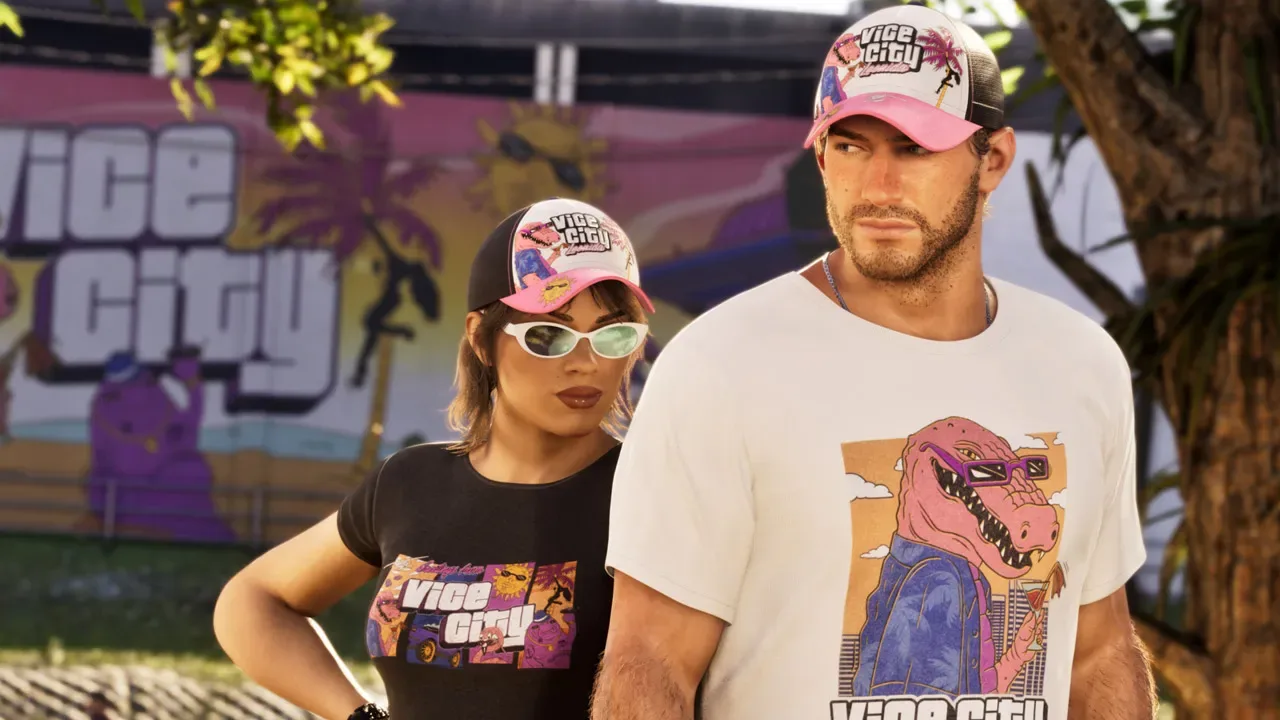
Bonuses are separate entitlements and they fail separately. The Vintage Vice City Pack is tied to pre-orders placed before November 20, 2026, across both editions. The PlayStation GTA+ offer is not automatic either: you pre-order from PlayStation Store before November 20, 2026, then visit the GTA+ product page and follow the on-screen instructions to complete the transaction at no extra cost — and the steps have to be completed by March 31, 2027 to claim the offer. Worth knowing the hedge: the on-screen wording states when the free month rolls into a paid subscription, and you cancel via Subscriptions Management before that date if you don't want it.
If the game is in your library but the bonus isn't, the bonus is usually a claim step you haven't done — not a bug.
If nothing works: escalation
- Platform support first. Xbox support or PlayStation support owns the licence and the refund. Rockstar can't restore a Microsoft or Sony entitlement.
- Rockstar Support for in-game bonus content that's missing after the licence is confirmed working.
- The retailer for any code-in-box problem — they issued the code, they replace it.
- Bring evidence: order number, screenshots, account email, platform, region.
- Avoid the chargeback route unless support has genuinely failed you. It can get the whole account restricted, which is a far worse outcome than a delayed licence.
One caveat to keep in mind: much of what the community "knows" about GTA 6 purchase edge cases is still unconfirmed. Third-party trackers have repeatedly pointed out that refund, cancellation, edition-upgrade and preload specifics aren't settled until official store wording exists, and that public PlayStation and Xbox refund policies should be treated as planning context rather than a promise. Treat fixes above as confirmed-by-repetition where they're platform-standard, and as community workarounds where they're not.
Sorting out a stubborn licence eats an evening; sorting out Leonida eats weeks, and launch-week story progression is the part nobody can hand off to a support agent. If your November is already full and you'd rather come back to a save that's past the slow opening hours, our GTA 6 campaign boostfrom $3.99 handles the progression manually while you keep the account admin simple.